
01
Check before Checkout.
Start with the selected product and the questions that matter for its category.
View full-size screenshot in a new tab↗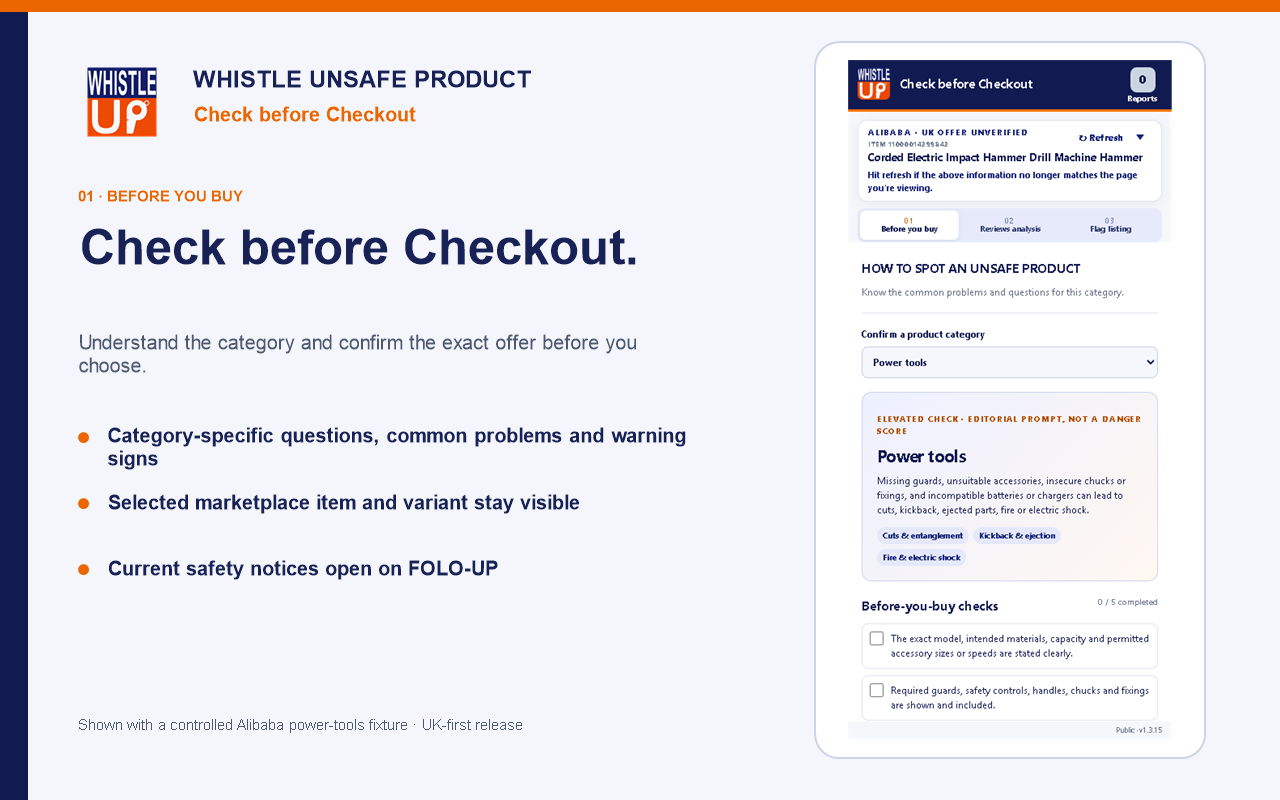
FOLO-UP Whistle · Complimentary product showcase
 FOLO-UP Whistle
A closer look before you buy. Explore Whistle’s checks, review-reading tools and listing reports through the official Store visuals below.
You’re viewing a showcase. To install later, open this page on a computer in Chrome or Edge.
Inside Whistle
These are original Store screenshots with controlled example listings, not an interactive extension or findings about a current product.
Start with the selected product and the questions that matter for its category.
View full-size screenshot in a new tab↗Look more closely at review wording. A delivery complaint and a possible product concern tell different stories.
View full-size screenshot in a new tab↗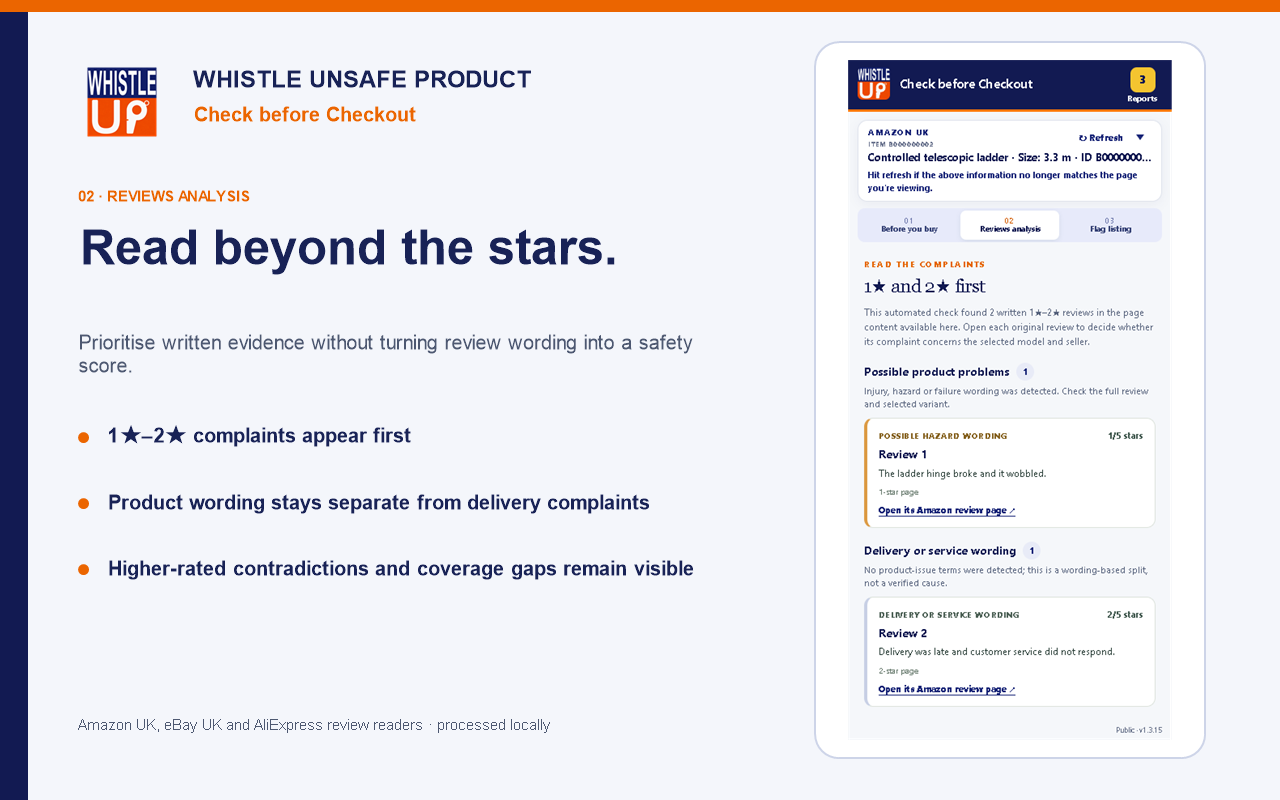
Record what prompted your concern. A report is a listing signal for evidence capture and controlled human review—not a confirmed safety finding.
View full-size screenshot in a new tab↗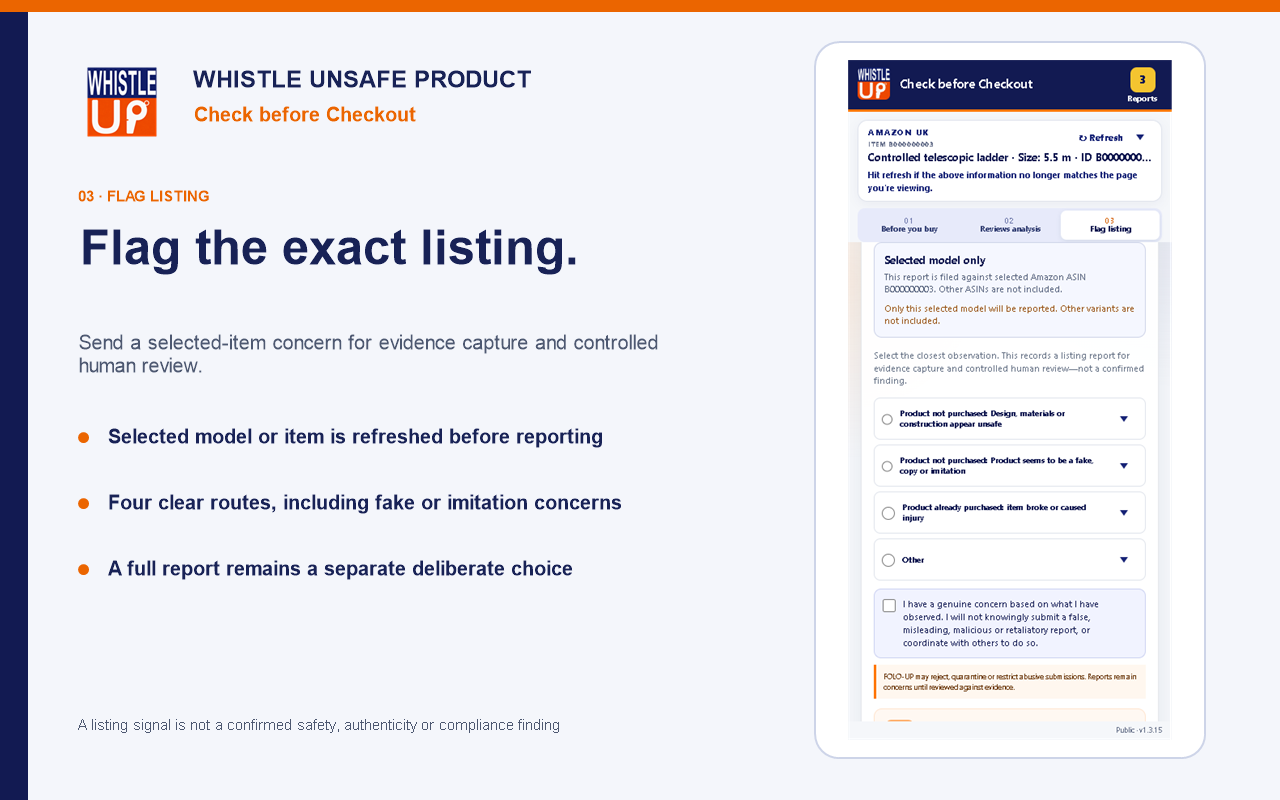
Ready on your computer
Use Chrome or Edge on a desktop or laptop. The Web Store handles installation and browser updates; there is no separate ZIP download.
On a phone or tablet, you can view the Store listing and return on your computer to install.